
Open an Excel sheet, add a new registration, update the participant status, quickly answer a question via email, and then send the latest version of the guest list to a colleague. Shortly after, a participant cancels, another decides to bring a guest, and catering needs the final headcount by the afternoon. Sound messy? That’s exactly what it is.
For small events with only a few guests, such manual processes might work. But the more participants from different groups you have, and the more people involved in the planning, the more complex the management becomes. When all important information is scattered in different places and changes have to be transferred multiple times, it becomes increasingly difficult to keep track of the current status.
Professional participant management means much more than just managing a list of names. It supports guests from the moment the invitation is sent and registration occurs, through communication, all the way to check-in, only ending with the post-event analysis. The more these steps are organized manually, the faster the limitations of Excel spreadsheets and emails become apparent.
How does data chaos arise from Excel, email, and various tools?
For many event teams, Excel spreadsheets are the foundation of participant management. They contain names, company affiliations, contact details, registration status, and potentially information on dietary requirements or workshop registrations. Additional information then arrives via other channels, such as cancellations by phone or changes via email. If this information is received by different people, it quickly becomes confusing. If there are also additional lists, for example for VIP guests, many different versions of the data quickly start circulating, and eventually, it is no longer clear which list is current.
This data chaos becomes particularly problematic when several people are working on the event organization. They must either consistently maintain changes in a central file or transfer them between different documents. If this doesn't happen, further planning may be based on outdated information. Again, the rule applies: with 20 guests, discrepancies can usually be cleared up quickly. For conferences with hundreds or thousands of participants, manual verification can be extremely time-consuming.
Why does manual participant registration take so much time?
A registration is sent off quickly. However, for the event team, this is often where the actual data maintenance begins. The information from the form must be checked and assigned to the participant list. Later, a cancellation or a changed workshop selection might arrive via various channels.
In addition, there are often different participant groups. Customers, partners, employees, VIP guests, or press representatives may require different registration paths or information. If management is manual, event teams must ensure that these individuals receive the necessary information.
Why does participant communication become prone to errors without centralized data?
A typical example: On Tuesday, a list is prepared of participants who should receive a reminder. By the time it is sent on Thursday, more participants have registered and some have cancelled. If the distribution list is not reconciled and updated again, guests who have actually cancelled might still receive information, while new participants are missing from the communication.
For an event with different participant groups, maintaining such distribution lists becomes even more complex. VIP guests need different information than regular participants. Anyone who has booked a workshop needs to know when and where it is taking place. On-site guests need arrival instructions, while virtual participants need access data for the stream and any technical notes.
If all these groups are managed manually, additional filters and distribution lists must be set up and kept up to date until the moment of sending.
Why do last-minute changes cause so much extra work?
Up until the day of the event, the participant list usually changes quite a bit. Guests cancel at short notice, decide to bring a guest after all, or want to change their booked session. If data is managed manually, such changes must be updated everywhere the participant data is used—not just for internal teams, but also for external service providers.
Even a single change can trigger multiple work steps. The participant list must be adjusted, a new email sent, or catering informed about the updated guest count. The closer the event gets, the more such tasks run in parallel.
Why is data chaos particularly evident during check-in?
How well participant management worked in advance becomes clear on the day of the event. If the check-in process is organized with printed lists or Excel files, last-minute changes may be missing—for example, if guests cancelled spontaneously and the printed list does not yet reflect this. For the check-in team, this means follow-up questions and constant manual checks. For the guests, it means additional waiting times and potentially a chaotic first impression of the event.
With a digital check-in, however, the guest list is based on the stored participant data. When a person is checked in, their status changes immediately. This allows the event team to see how many registered guests are already on-site during the event.

What data protection risks arise from manual participant management?
Attendee lists contain personal data. Depending on the event, this may include not only names and email addresses but also company affiliations or dietary requirements. When such lists are shared via email or saved locally, multiple copies of the same data are quickly created. One version stays with the event team, another is sent to the check-in desk, and a third goes to an external service provider. If the original file is updated later, the older copies do not disappear.
It must also be clarified who is authorized to access which attendee data and where it is stored. Especially when multiple internal teams and external service providers are involved, there should be clear rules regarding who can view or edit specific information. With manually managed files, this is not always easy to track, particularly when attendee lists are shared multiple times or saved locally. This makes it harder for companies to maintain an overview of access rights and comply with their own data protection requirements in attendee management.
Why do fragmented data make post-event analysis more difficult?
Attendee management does not end with the final check-in. After the event, questions arise such as how many guests registered, how many actually attended, and what the no-show rate was. Information on booked sessions or feedback may also be added. If invitations, registration, and check-in were managed in different files or tools, this data must first be consolidated. This is time-consuming and hinders comparability. If attendee status is documented differently for one event than for another, the data must first be standardized before a comprehensive analysis can be performed.
However, consistent data is particularly helpful for companies that hold events regularly. It allows them to compare trends in registration and no-show rates and identify which event formats are in high demand.
When is event management software worth it?
Not every event requires an extensive software solution. If you are organizing a small internal event with only a few participants, it is certainly possible to do so manually without chaos. However, if certain requirements arise repeatedly, the workload increases. These include:
- multiple events per year
- larger numbers of attendees
- different attendee groups
- personalized communication
- multiple people working with attendee data simultaneously
- recurring transfers between different systems
- extensive check-in processes
- regular analysis of attendee data
To weigh whether and when event management software makes sense, the actual workload should also be factored into the assessment. If attendee lists are reconciled before every mailing, registration data is transferred between multiple systems, or the team spends a lot of time maintaining lists shortly before every event, it is worth taking a closer look at these processes.
The price of event software should not be the only criterion for comparison. Manual data maintenance, error correction, recurring coordination, and the time-consuming consolidation of data for event analysis also consume internal resources.
How does event management software change attendee management?
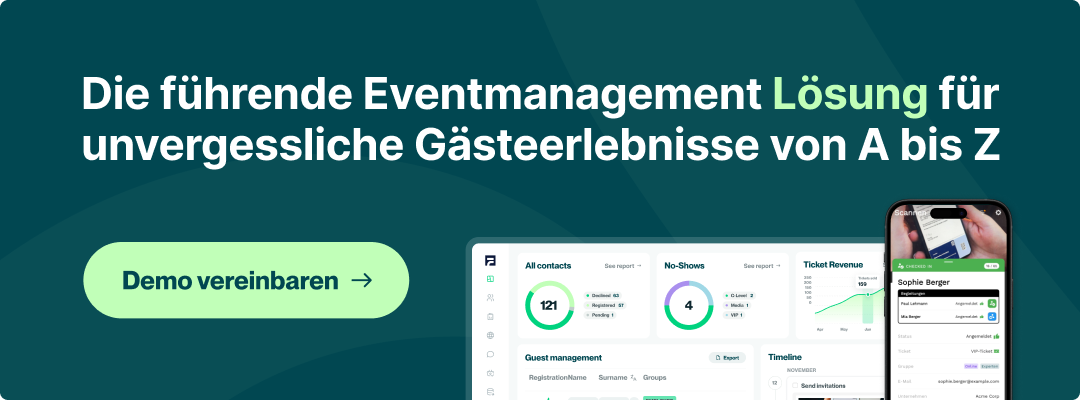
The biggest difference lies in the shared database. Registration, attendee communication, and check-in no longer work with separately maintained lists but instead access the same attendee information. With evenito, companies can map central areas of the attendee journey within a single platform:
- Event websites and registration
- attendee management
- Attendee communication
- On-site check-in
When a guest registers via the event website, their status is recorded accordingly. This data is then available for further communication and can be used for check-in on the day of the event. After the event, the captured information provides a basis for evaluation.
This eliminates many manual intermediate steps for the event team. There is no need to transfer registration data into an Excel list or repeatedly reconcile distribution lists with the current attendee count before every mailing.
Of course, event management software cannot take over the entire event planning process for a team. You still need to manage venues and service providers as well as plan content. However, many administrative tasks in attendee management can be centralized or automated.
Conclusion: When does manual attendee management become a problem?
An Excel list can be perfectly adequate for a small event. Difficulties usually arise when attendee numbers grow or when multiple people are involved in the organization.
For event managers, marketing teams, project leads, and assistants, it is therefore worth regularly putting your own processes to the test:
- How many work steps are still being performed manually?
- How often is attendee data transferred between systems?
- How much time is spent on list maintenance and coordination?
- How are last-minute changes processed?
- How easily can registrations and actual attendees be evaluated after the event?
If maintaining attendee data, coordinating, and making last-minute corrections are taking up more and more time, it is worth taking a closer look at your processes. Even if Excel works for basic attendee management, the many manual steps involved in registration, communication, check-in, and evaluation can quickly become burdensome.
.svg)